
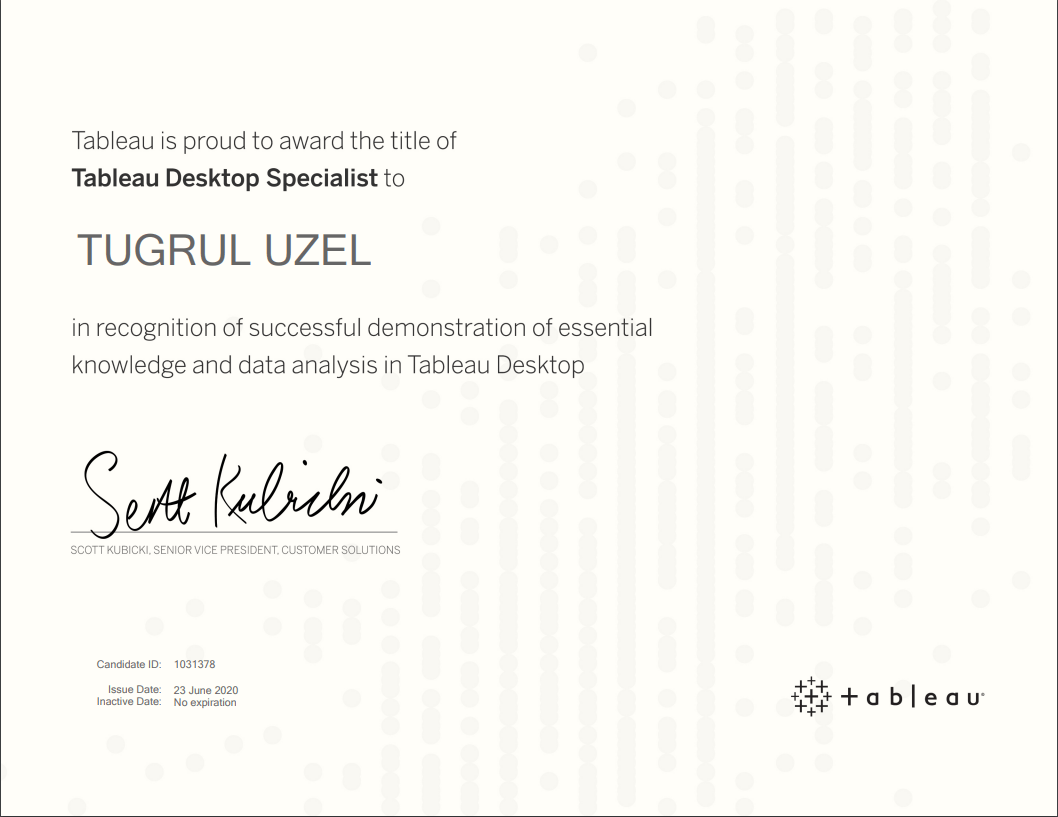
I’m a Tableau Desktop Specialist

Featured

I’ve passed my Tableau Desktop Specialist exam today after training for over 2 months.

Although I’ve used Tableau only a few times during college, I haven’t started using it daily before. During COVID-19 with Tableau’s free eLearning for 90 days offer, I’ve set myself a goal to finish the Desktop-I training before end of June and pass the Tableau Desktop Specialist and today I passed the exam with 79% 😊

Exam Preparation and Resources

I’ve used a few resources to get ready for the exam and learn Tableau.


Tableau eLearning: I’ve finished Tableau eLearning Activities and Videos by going through them 3-5 hours per week between April and June 2020. Here is a link to notes I took while going through eLearning. (This is the draft version, will clean up notes and share as a different post)

Tableau Desktop Specialist Exam guide – This is a great guide with example questions and topics that will be covered in the exam. You can use the list of topics to prepare yourself.

Youtube: There are many good videos on YouTube to get prepared for the exam. I would recommend watching Emin Cengay’s Facts, Questions Formats and Exam Day Tips video.

Combined Questions & Preparation Guide: This Post of Saahithi Jyothy Surapaneni on LinkedIn helped me a lot to understand what to expect from the exam and Knowledge Based Questions were great guide.

Exam:

The proctor was helpful during the checks and exam. She started with explaining the exam rules and how the process will work. We went through ID confirmation, checking my desk and room to make sure I’m alone and there is nothing else than the laptop and my ID on my desk.

When I clicked on start the exam, the link didn’t work and gave an error, but the proctor was quickly able to share a new link to the exam for me.

During the exam, don’t forget to flag the questions you are not sure or want to answer later. I went through the 30 questions and answered the questions that I could. Then, I went through the flagged questions. Don’t forget that you can use Tableau help website during the exam, but some questions are trickier to find answers for through Knowledge base.

If I were to prepare for the exam again, I would read more on the community and Knowledge base as I was more focused on hands-on experiences and wasn’t sure about some knowledge questions.

After Exam:

You get the exam result as soon as you finish it and receive the certificate within an hour. Tableau sends a results file to give you more details where you can in which areas you were successful and not. I would love to see the full list of questions and my answers to see where my mistakes came from but unfortunately, it’s not possible to get this now. I’ve been given information about 4 categories in my result sheet:

I’m happy with the Exploring and analysing Data and Understanding Tableau Concepts whereas need to go through Sharing Insights. I’m guessing these were the questions about Dashboards. I haven’t done enough practice and training on dashboards so would need to focus on these topics as next step.

As I’ve passed the Tableau Desktop Specialist exam the next step would be using Tableau daily in work to improve the insights I share with different stakeholders. Also, I’ve started going through the Desktop-II training already which is recommended to pass the Certified Desktop Associate exam. Hopefully I’ll be back with another post to explain my experiences with Desktop-II training and Certified Associate Desktop exam result before the end of 2020.


Pulse London 2019 – Day 2 Notes

Featured

Session 1: Human First Products

With choice, comes power

Customers are on the driver’s seat, not vendors

New Cycle

Adopt -> Retain -> Expand ->Advocate

Customer wants deliverable outcomes to see business value

Session 2: How can you streamline Net Retention? Let Us Count the ways

  • One team on retention, one team cross/upsell
  • Indicators to help identify upsell cross sell
    • Customer landscape
    • What’s the history
    • What are they investing
    • What are they counting on to grow
  • Implications for your company
    • What are customer strategic initiatives
    • What initiatives do we help support today
    • What strategic initiatives could we further support?
  • Start with the problem
  • Acct Planning – keep it simple, 
  • Leverage Marketing – marketing automation for scale across customer base as early as possible
  • Align Models where any overlay exists to drive performance
Continue reading “Pulse London 2019 – Day 2 Notes”

Pulse London 2019 – Day 1 Notes

Featured

Session 1: Customer Success 20/20

  • Use attrition, not churn
  • CS is mostly tech, within 3 years expect the real boom in CS industry, CS will move to non-tech companies soon
  • Close to the breaking the glass ceiling
  • VC funded companies has more recognition towards CS
  • Think about moving to Customer Growth from Customer success
  • It’s customer economy now, not a sales/product driven economy, no barrier for entry more competitors
  • Be customer growth leader

Session 2: Improve Your On-Time Renewal Rate by Creating a Best In-Class Practices

  • Define Ideal Customer Profile
  • Define time to value/time to first value
  • Desired Outcomes
  • Weekly Renewals Meeting
  • Growth Profiles
  • Renewal Managers <-> Buying Persona
  • Study psychology of sales during renewal process
  • Don’t play safe just to renew, don’t miss the opportunity
  • Add automatic price increase to the initial contract – 3%, 5% 
  • Think about charging for late renewal signature date
  • QBR 1 – should be about adoption after 90 days of signature
  • QBR 2 – Start discussing the Renewal/Growth
Continue reading “Pulse London 2019 – Day 1 Notes”

Top 10 Video Games Around The World

First published on http://tugrul.dbsdataprojects.com on 30th of March, 2017.

While I was exploring different data sets on kaggle.com, I have seen this data set about Video Game Sales with Ratings. Umesh from kaggle created a great kernel which explores this data set and creates different graphs such as Revenue by Game, revenue by seller  etc. in different regions.

This data includes sales figures from different regions such as Japan, US/North America, Europe, Other Sales, and Global Sales. I will use the code from kaggle to create the same graphs in ggplot and will discuss the trends. As Wii Sport has been given with the Wii Console by default, I have excluded this game from the results.

My first graph shows top 10 games from different regions based on sold games units in overall.

Grand Theft Auto V is the best selling game in overall sales figures around the globe. Although Grand Theft Auto V has the top spot with 56.57 million unit sales overall, it includes all different consoles. Second game Super Mario Bros has sold 45.31 million unit sales and it is also used Nintendo consoles such as Wii, DS, 3DS so we can argue that it is one of the best selling games.

There are a few trends that looks interesting from this table. Although GTA V is the best selling game in overall, it is not ranked in top 5 sellers in Japan with 1.42 million units of sales. Pokemon Red/Blue games has sold over 10 millions copies in Japan has become  the best performer in top 10. Also, best selling game in North America from top 10 games is Super Mario Bros instead of GTA V. Also Tetris is very popular in North America as 73% of them has been sold in this region.

Continue reading “Top 10 Video Games Around The World”

Learning SQL – Part 1

First published on http://tugrul.dbsdataprojects.com on 25th of March 2017.

Sql stands for Structured Query Language and is being used to query and manipulate relational databases. Most of the Relational Database Management Systems use SQL as standard database language. I will be using MS SQL in these examples and learning process.

Sql History

Dr Edgar F. Codd is known as the “Codd Father” of the relational databases. He described a relational model for databases in 1970. First SQL appeared in 1974 and IBM has worked to develop the ideas of Codd and released a product System/R. In 1986, IBM developed first prototype of relational database and it was standardized by ANSI.

SELECT statements

Capabilities of SELECT statements

SELECT statements can give us a projection, we can get a subset of a column. Secondly, you can filter the number of rows with SELECT and also you can join different tables by primary and foreign keys. It allows to get data from different tables and show as a table.

Basis SELECT statement identifies the columns o be displayed and you also need to add FROM to tell which tables you will get the data from. Continue reading “Learning SQL – Part 1”

Learning R with Simpsons

First published on http://tugrul.dbsdataprojects.com on 14th of November 2016.

I tried to learn R before this module through Coursera, I wasn’t able to continue to the course after second week as I found it a bit hard. Although one of my favorite character Homer Simpson would say “You tried your best and failed miserably. The lesson is, never try“, with Data Management and Analytics module I have started using/learning R again.

never-try

I have started my re-learning progress with CodeSchool‘s Try R online course. It was a good reminder for different features of R and I’ve learnt creating different graphs, using factors etc. during that 8 chapters of R adventure.

r-10035011

After completing that eight chapter I was ready to get real life data and conquer the world with my beautiful data stories. Obviously, it didn’t happen, yet! I have joined a few DBS Analytics Society meetings on Saturdays and started to analyse different data sets with R. Although I could have done most of those analysis in Excel in a short time, this time I am willing to learn R so I am still wrestling with it.

While I was looking for interesting data sets to analyze, I have found that Reddit and Kaggle.com websites were really useful to find different data sets. Also fivethirtyeight.com provides a lot of different data sets in their GitHub account but they are very good to find out everything from a data set so there are not many things that you could add to the story they tell.

For my first attempt to analyze data with R, I have decided to go with Simpsons data from kaggle.com and I could easily say that reading this article by Todd Schneider motivated me too.

Although there are many different outcomes in that article, I have decided to try something different and wanted to check how many times Simpsons Family characters have been used in title of episodes. Then I will try to compare how many people watched those episodes and what is the IMDb rating of the episodes.

Continue reading “Learning R with Simpsons”

Secret of the Name “AshleyMadison.com”

First published on http://tugrul.dbsdataprojects.com on 4th of November 2016.

So after a few weeks of Data Management and Analytics class and having been working on with R, I have attended to the DBS Analytics Society meeting on 22nd of October.

Thanks to Darren, we had some pastries for breakfast, eating them while drinking a double shot coffee woke me up on a Saturday morning.

Darren prepared us four different quizzes although I could have finished only two of them in 2 hours, it was a very helpful meeting to practice R with different data sets.

First quiz was about basic R commands and how to use them. It was relatively easier than the second quiz. I have uploaded my code to my Github account with the questions. I got one mistake in my first trial as first question was asking for sum of the output where I gave the output as the answer.

Continue reading “Secret of the Name “AshleyMadison.com””

People, People Everywhere

First published on http://tugrul.dbsdataprojects.com on 24th of October 2016.

Being from a country where we had five elections/referendums in last 5 years, I have seen many different maps with the election results and I always wondered how they created those maps. I saw my first Fusion Table based map when Panama Papers hit the news. This map shows all the addresses from Ireland which were mentioned in Panama Papers and I remember admiring how quickly Gavin Sheridan created that map, literally 10 minutes after his first tweet about the addresses.

Although I was impressed with an efficient tool such as Fusion Tables, I haven’t used it until this year. My first attempt to create a map from a Fusion Table was during our Application of Cloud Technologies module, just a week before Data Management & Analytics class. It was a good preparation for Data Management & Analytics class and for this assignment. During the class, we have created a US Population Density Map and were asked to do a similar version of that map for Ireland.

To create the Irish Population Density map, I was given two different data and we have been asked to turn them into information. The first data set was from Central Statistics Office (CSO) website. 2011 Census population data was enough to get the population by county and gender. I have done a bit of cleansing, by removing break down of city data for big cities and get every county in one lane. Dublin, Cork, Galway, Waterford, and Limerick population were given by county and by City and County. I have removed those lines and I also added South Tipperary and North Tipperary data to one line. Also after uploading my KML file, I have realized that Laoighis was spelled differently in KML data, so I have changed that in my Fusion table into to Laois.

Continue reading “People, People Everywhere”